



The AUDIPY Analyzer is the engine you use to analyse large volumes of data: classic methods such as gap analysis or duplicate checks alongside statistical and AI-based methods such as Monetary Unit Sampling and Isolation Forest.
You open large data sets directly, review them with ready-made methods instead of self-built formulas, and every result stays traceable. This saves preparation time and makes audits within the team comparable.
The Analyzer is not just software for beginners: statistical methods, sampling and AI methods also cover demanding analyses. At the same time, colleagues without a technical background work with it confidently, for example with the AI assistant AMY, to whom you ask your questions in plain language. So every level of experience finds the right way in.
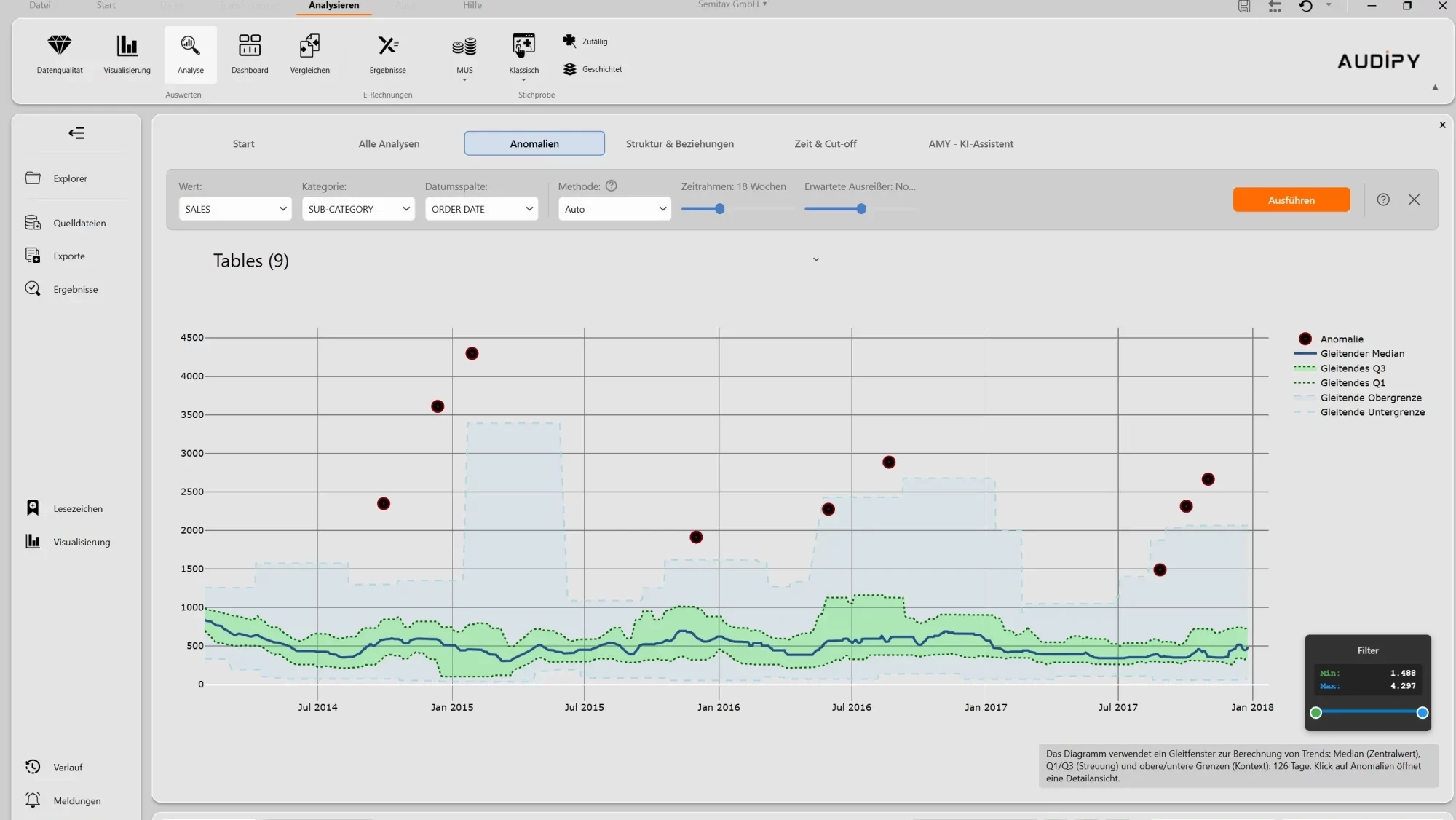
Import & review
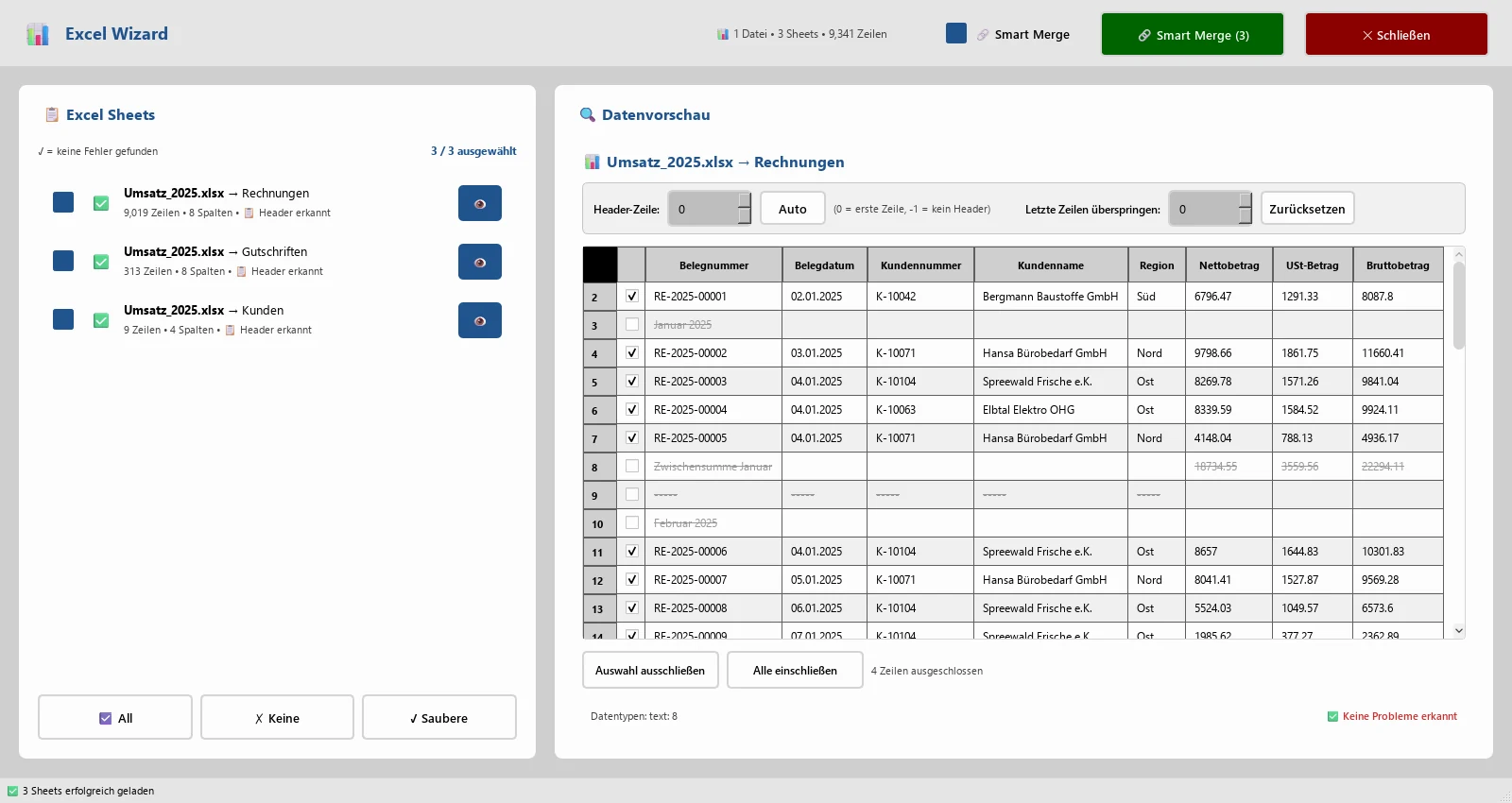
CSV, XLSX, SAP export or database. Your data lands directly in the table view, with filtering and sorting available immediately.
Audit & analyse
Gap analysis, duplicates, Isolation Forest, Monetary Unit Sampling: classic and modern methods at a single click.
Visualise & share
Charts with the chart builder in the program or with one click in Power BI, straight into your report.
Classic audit methods
Gap analysis, duplicate and multiple-occurrence detection, plausibility checks. Proven methods, in seconds across millions of records.
Statistics and AI
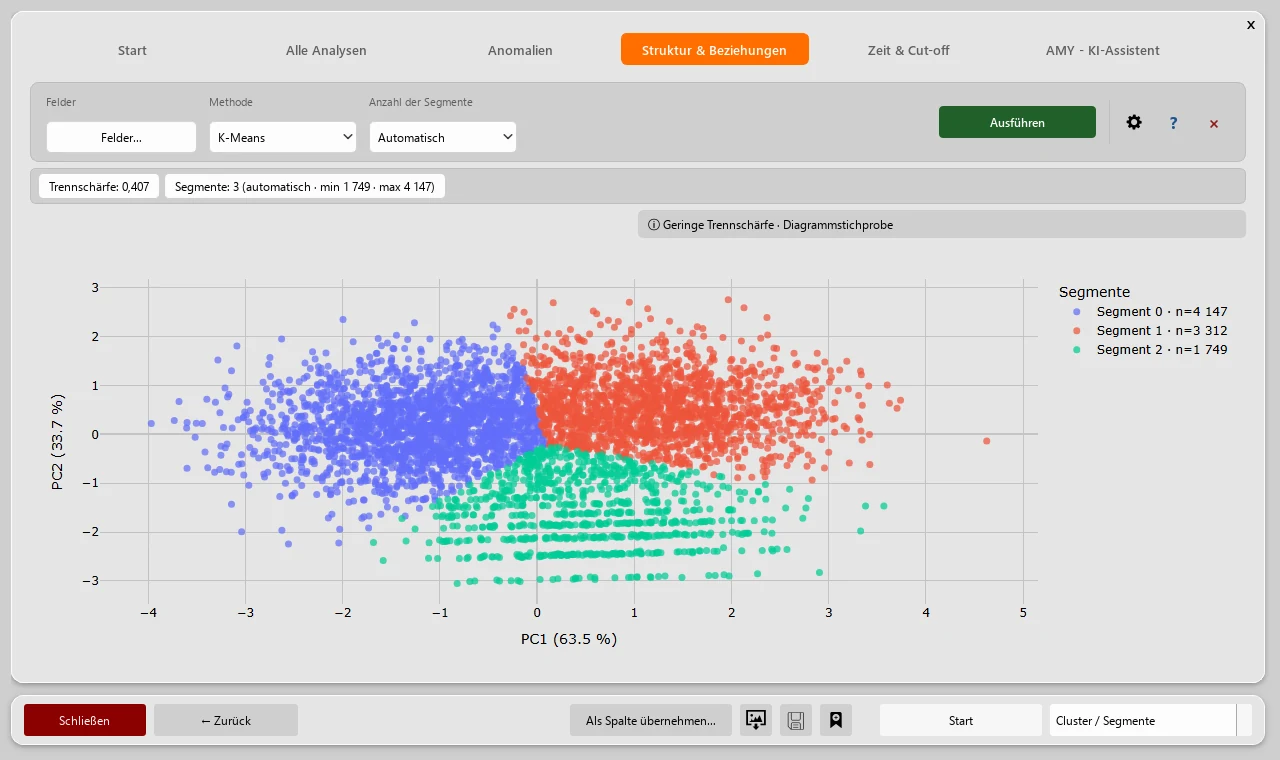
Monetary Unit Sampling for statistical samples, Isolation Forest for anomalies and, with AMY, analyses in plain language without formulas.
Built-in visualisation
Bars, lines, heatmaps, distributions directly from the analysis. Ready to export or saved as a bookmark.
Flexible data sources
CSV, Excel, SAP exports, databases. Rename columns, change types, derive new columns, all within the Analyzer.
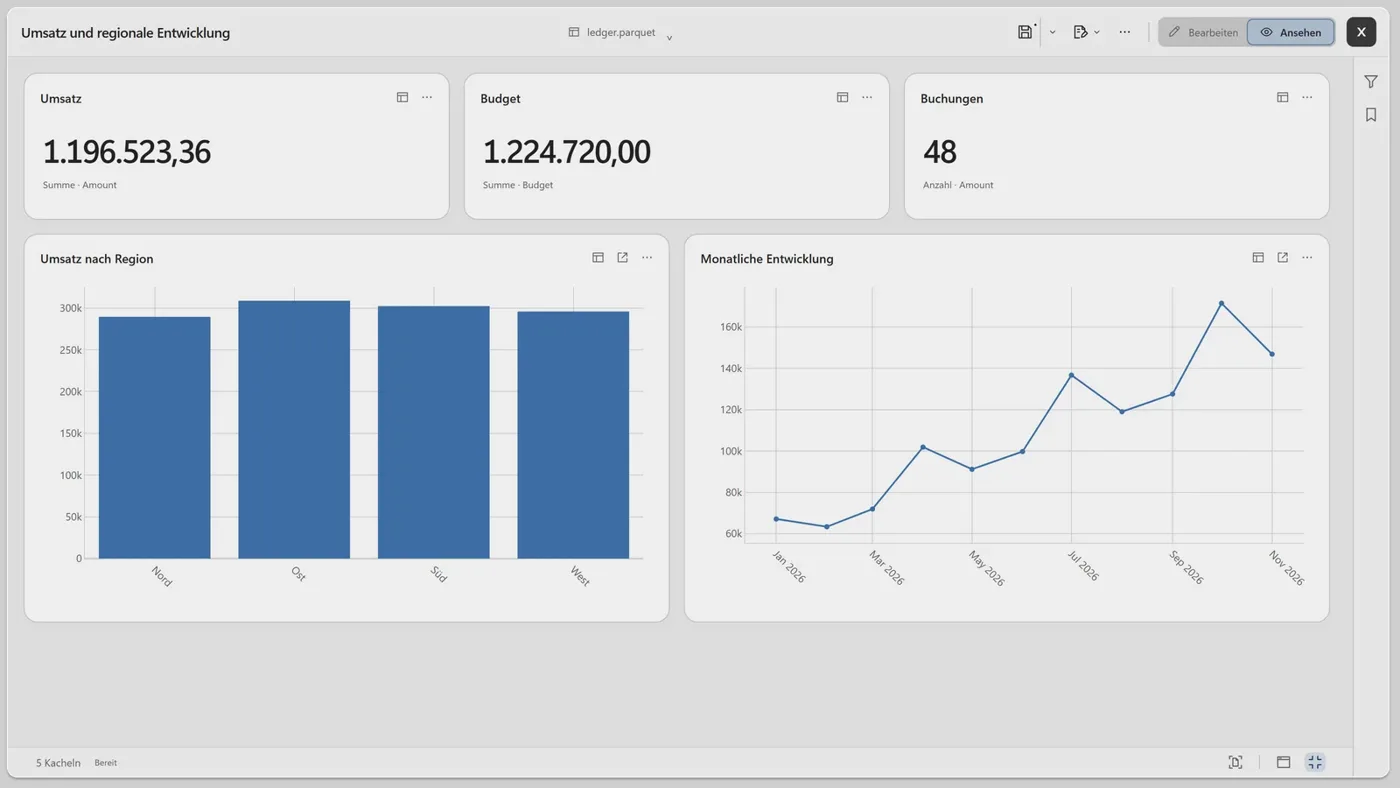
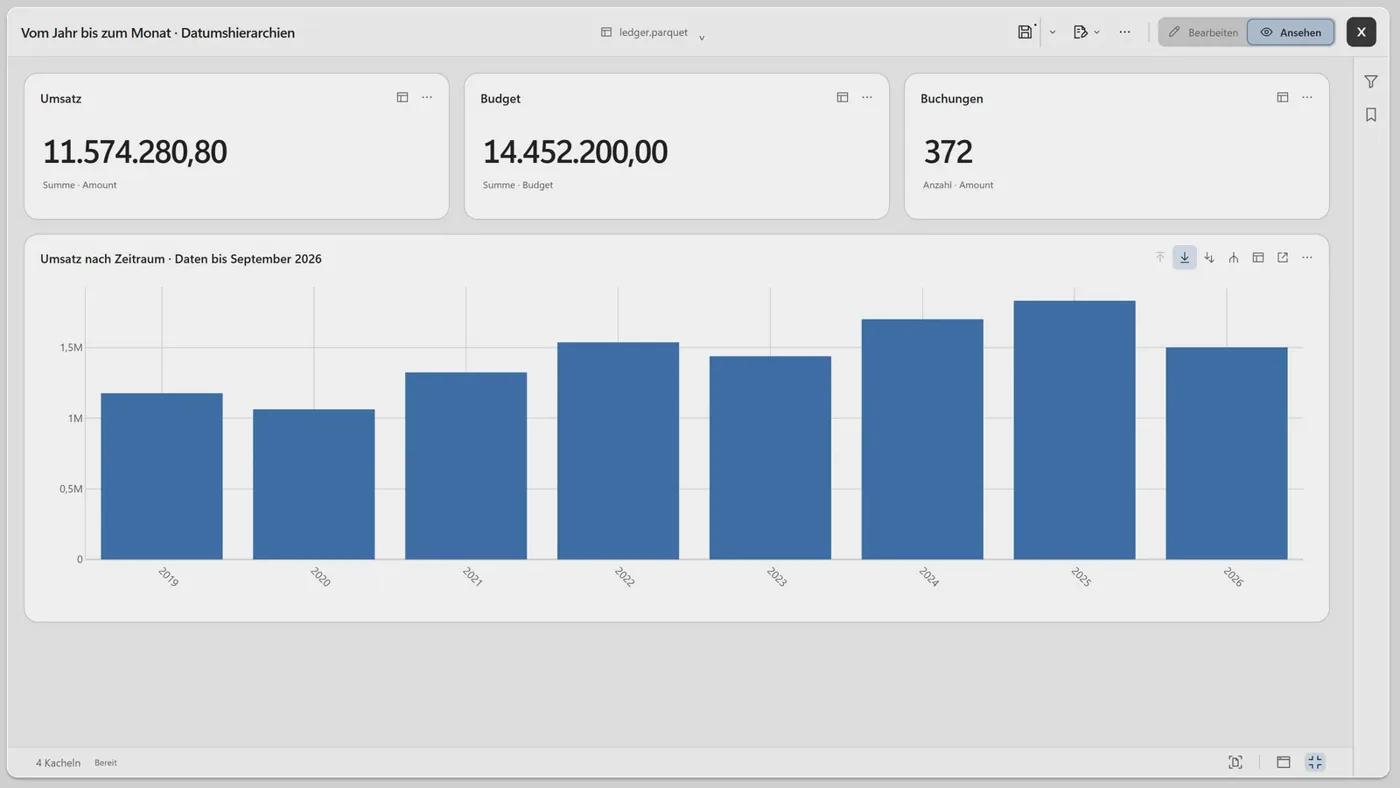
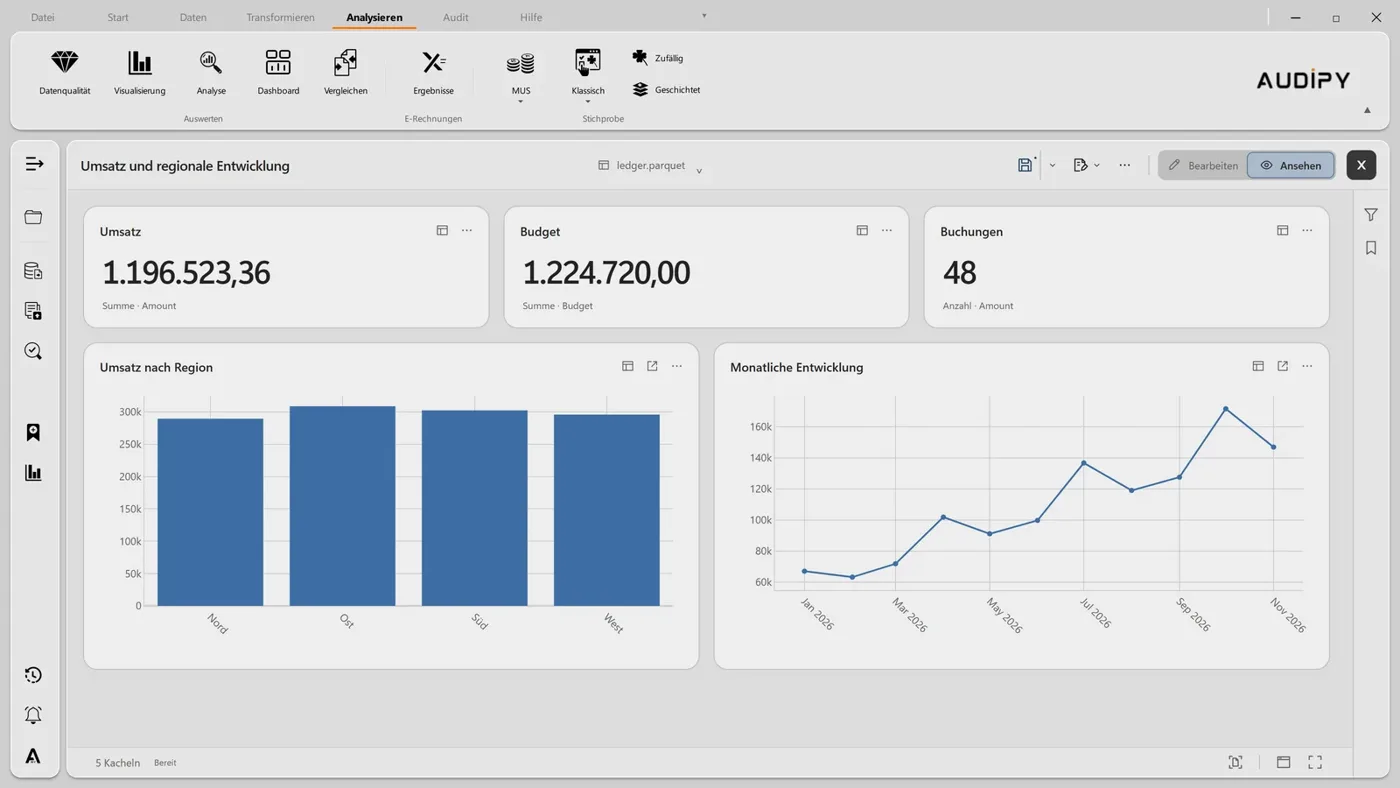
The Analyzer sends data and results to Power BI with one click and brings them back whenever you need them. A round trip without data loss.
←
From data import through filters and audit methods to the finished visualisation.
See the Analyzer in action.
On request, we show you the Analyzer online in English, free of charge and with time for your questions.